

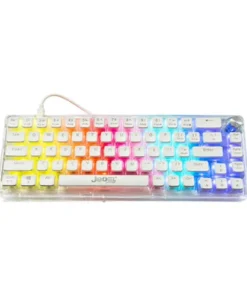
Jedel KL-150 61Keys Mechanical Keyboard
Buy the Jedel KL-150 61Keys Mechanical Keyboard in Bangladesh from T-TECH. A genuine keyboard with reliable performance and great value. Price in Bangladesh: 3,200. 100% authentic with warranty and cash on delivery nationwide.
Original price was: ৳ 3,500.00.৳ 3,200.00Current price is: ৳ 3,200.00.
 Call Now for Online Order
 Via Messenger
 Via WhatsApp
Warranty

Shipping


Payment Methods
Delivery Time
Inside Dhaka: Next day to 3 business days. *Inside Dhaka North and South City Corporation. Outside Dhaka: Next day to 5 business days.
Shipping Charge
Inside Dhaka: Starts from 70Tk. Outside Dhaka: Starts from 120Tk.
Payments
Spend TK.5000+ & pay in 3-36 months.
Jedel KL-150 61Keys Mechanical Keyboard
Description
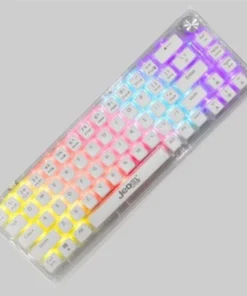
The Jedel KL-150 is a 61-key wired mechanical keyboard designed to maximize desk real estate. It features a minimalist footprint that is perfect for FPS gaming, as it allows for wide mouse swipes. Often constructed with a high-quality ABS body, it feels surprisingly sturdy for its weight. The “Rainbow” variant is specifically known for its vibrant, pre-set color zones that illuminate the double-shot injection keycaps.Order from T-Tech or visit our Shop- (New)06, 1st Floor, Shah Amanat City Corporation Super Market, Chittagong, Bangladesh.
Specifications
| Feature | Details |
| Layout | 61 Keys (60% Form Factor) |
| Switch Type | Mechanical (Usually Blue switches for tactile/clicky feel) |
| Connectivity | Wired (Detachable USB Type-C to Type-A) |
| Cable Length | 1.5 Meters |
| Key Lifecycle | ~50 Million Keystrokes |
| Backlighting | Rainbow LED or RGB (Multiple modes) |
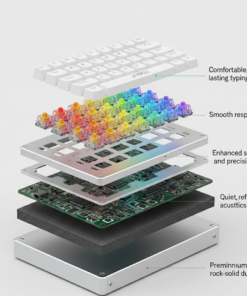
| Build Material | High-Quality ABS Plastic |
| Dimensions | ~290 x 102 x 39 mm |
| Weight | ~535g |
| Compatibility | Windows, macOS, Linux |
Key Features
-
Double-Shot Injection Keycaps: The legends (letters) are molded into the keycaps, meaning they will never fade or wear off, even with heavy use.
-
Full-Key Anti-Ghosting: Ensures that every single keypress is registered even when multiple keys are hit at once—critical for complex gaming combos.
-
Detachable Type-C Cable: Unlike older budget keyboards, the KL-150 uses a modern Type-C connection which is more durable and makes the keyboard easier to pack for travel.
-
Ergonomic Incline: Designed with a natural slope and contoured keycaps to help reduce wrist fatigue during long coding or gaming sessions.
-
Plug & Play: No complicated software required; all functions are handled by the hardware.
Jedel KL-150 61Keys Mechanical Keyboard Best Price in Bangladesh
Jedel KL-150 61Keys Mechanical Keyboard Best Price in Bangladesh is 3,200 BDT.
FAQs
Q: What is the difference between “Rainbow” and “RGB” on the KL-150?
A: In the “Rainbow” version, each row or zone has a fixed color (e.g., top row is red, second is green). In the “RGB” version, the colors can often be changed across the entire board. Most KL-150s on the market are the Rainbow variant.
Q: How do I use the Arrow keys or Delete?
A: Since these keys are physically missing to save space, you access them by holding the Fn key + the corresponding secondary key (usually marked on the front side of the keycap).
Q: Are the switches quiet?
A: Most KL-150 models come with Blue switches, which are quite loud and “clicky.” If you are in a quiet office or shared bedroom, the clicking sound may be noticeable.
Q: Can I change the lighting speed and brightness?
A: Yes. Usually, Fn + Up/Down Arrows controls brightness, while Fn + Left/Right Arrows (or specific letter keys) adjusts the speed of the lighting effects.
Brand
Jedel
Be the first to review “Jedel KL-150 61Keys Mechanical Keyboard”
Related products
Reviews
There are no reviews yet.